Free Certificate Maker
Make printable certificates in seconds with this free certificate maker. Choose a certificate of achievement, completion, appreciation, participation or excellence, type one or more names, add the date and signatures, then download a PDF to print or an editable Word file. Type a list of names and you get one certificate per page, ready for the whole class or team.
Want something more beautiful?
Our premium certificates are designer templates in Canva: gold borders, kids awards, spelling bee, reading, music and corporate designs. 20% off on Etsy
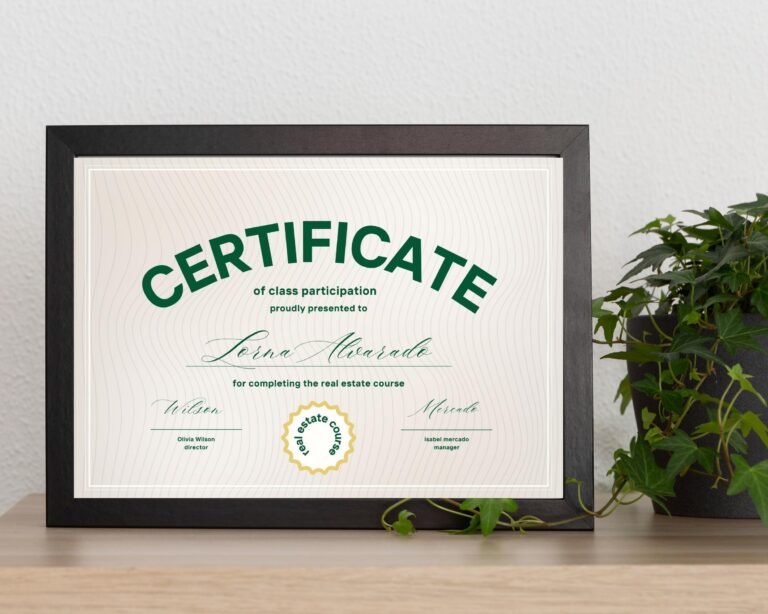


How to make a certificate
- Choose the certificate type: achievement, completion, appreciation, participation or excellence.
- Type the recipient names, one per line. Each name gets its own page.
- Add what the award is for, your school, team or company name and the date.
- Add one or two signers, such as a teacher and a principal or a manager and HR.
- Pick US Letter or A4 and one of five color themes, then download the PDF or Word file.
Certificate wording ideas
- Achievement: “For outstanding effort in reading this semester.”
- Completion: “For successfully completing Customer Service Training.”
- Appreciation: “In grateful recognition of your hard work as a volunteer.”
- Participation: “For taking part in the 2027 Science Fair.”
- Excellence: “For excellence in mathematics.”
Printing tips
- Print at 100% or “Actual size” so the border is not cut off.
- Use white or ivory card stock for an official look.
- Sign each certificate with a blue or black pen after printing.
Want a designer certificate?
This free certificate maker gives you a clean classic design. For gold borders, kids designs and award templates you can fully edit in Canva, see our editable certificate templates, including the certificate of achievement template, award certificates for students and the certificate of completion template.
Frequently asked questions
Is this certificate maker free?
Yes. Make and print as many certificates as you like for your school, club, team or business, with no sign-up and no watermark.
Can I make certificates for a whole class at once?
Yes. Type up to 40 names, one per line, and the PDF has one certificate per page.
Can I edit the certificate after downloading?
Yes. Download the Word version and open it in Microsoft Word or Google Docs to change any text.
What size are the certificates?
Landscape US Letter (11 x 8.5 in) or A4, the standard certificate sizes.